Docs / Advanced
Streamer overlay
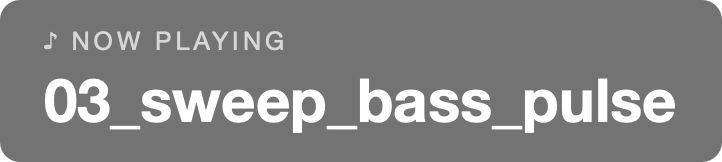
A now-playing card that floats above everything — even fullscreen games — so your stream always shows the current track. Press ⌘Y, check Enable overlay, done.
Try it: every setting, live
This is the exact scene from our homepage with the overlay on top. Change the settings below — they are the same ones in the app's ⌘Y window — and watch the card react. The timeline shows when the card is on screen during a track.
🐈
♥ ♥ ♥ SCORE 04250
♪ NOW PLAYING
Sweep · Bass Pulse
GAME · FULL SCREEN
Show
Duration
Prefix
Size
Color
X position
Y position
A web recreation of the app's overlay — same card, same settings, simulated 14-second tracks.
The same settings in the app
| Setting | Effect |
|---|---|
| Enable overlay | Master switch. |
| Always / On track start / Before track ends | When the card appears — try them above. |
| Duration | How long the pop-in modes stay (1–30 s). |
| Prefix | The small line above the title. |
| Font · Size · Color | Typography; any installed font, color with opacity. |
| X / Y | Position on screen, to fit your stream layout. |
Capturing it in OBS
The card is a real on-screen panel, so display capture in OBS (or any recorder / capture card) picks it up with zero configuration — and it never steals focus from your game.