Docs / Basics
Playback & the display
Tactile transport controls under a scrolling readout, exactly the way a player should feel.
Reading the display

- 7-segment clock — elapsed time in the current track; the
smaller
/ 0:20readout is the track's total length. - 1411 KBPS · 44.1 KHZ — the track's bitrate and sample rate.
- STEREO — channel layout badge.
- x1.00 — current playback speed (lights up when not 1×).
- Track name — scrolls marquee-style when it doesn't fit.
Transport
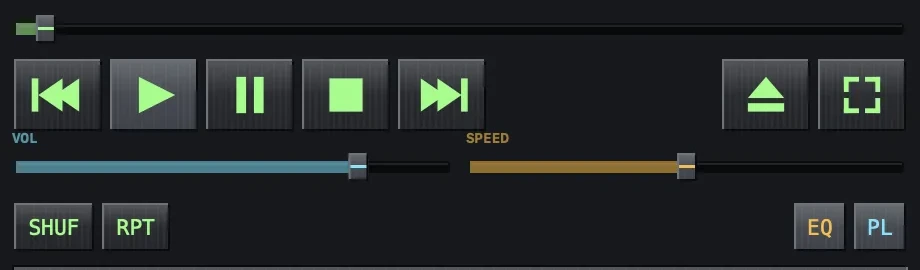
- ⏮ ▶ ⏸ ⏹ ⏭ — previous, play, pause, stop, next. Pause holds the position; stop returns to the start.
- Seek bar — drag the knob anywhere in the track. The readout follows your drag and playback jumps when you let go.
- ⏏ — open files (⌘O); ⛶ — fullscreen visualizer (⌘F).
Volume and speed
- VOL — the player's own volume, independent of system volume.
- SPEED — playback rate from 0.5× to 2×. The current rate shows on the display. Great for audiobooks and long sets.
Shuffle and repeat
- SHUF — random order over the playlist.
- RPT — cycles off → repeat all → repeat one.
Both modes glow when active, and both are remembered across launches.