Docs / Basics
Playlist
A dockable queue that shows what's playing, saves to standard M3U, and steps between the playlists in a folder.
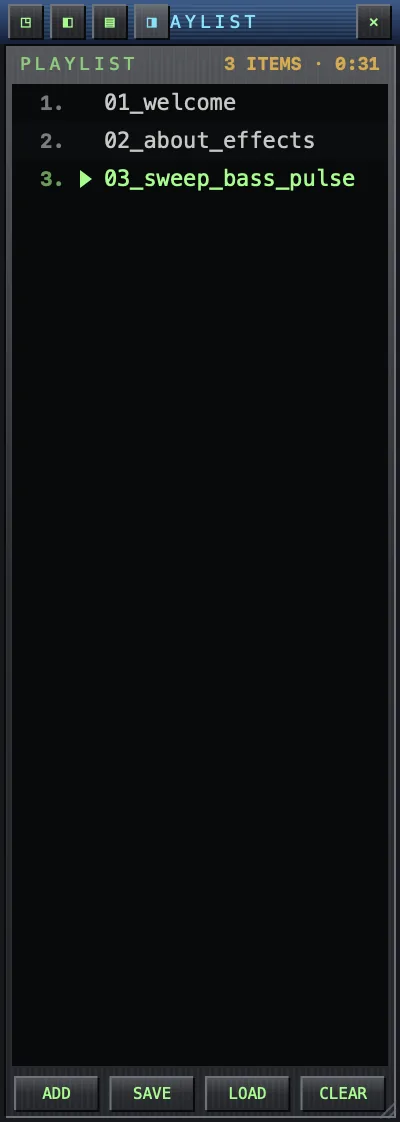
Working the list
- Toggle it with ⌘L or the PL button.
- Double-click a row to play it.
- Select many rows with ⇧-click / ⌘-click, then remove them with ⌫ or the right-click menu.
- ADD opens files; CLEAR empties the list.
Dock and detach
The playlist starts docked to the player's edge and the two move as one window. Drag the playlist away to detach it; drop it back against the player and it snaps into place again.
Playlist files (M3U / PLS)
- LOAD (or just open an
.m3u/.m3u8/.plsfile) imports a playlist. - SAVE writes the current queue as an Apple-Music-compatible
.m3u8. The saved file becomes the list's name in the header. - When the loaded playlist's folder holds other playlists, the ‹ › buttons in the header jump to the previous / next one — instant crate switching.
Tracks won't play after loading a playlist file? macOS only
lets MACSONG read music you've opened or dragged in yourself at least once — a
playlist file may point at tracks you haven't. The one-time fix takes seconds:
Which files MACSONG can see.